Using Scripts in the AuboStudio
The following steps outline how to create, write, and execute a script in the AuboStudio:
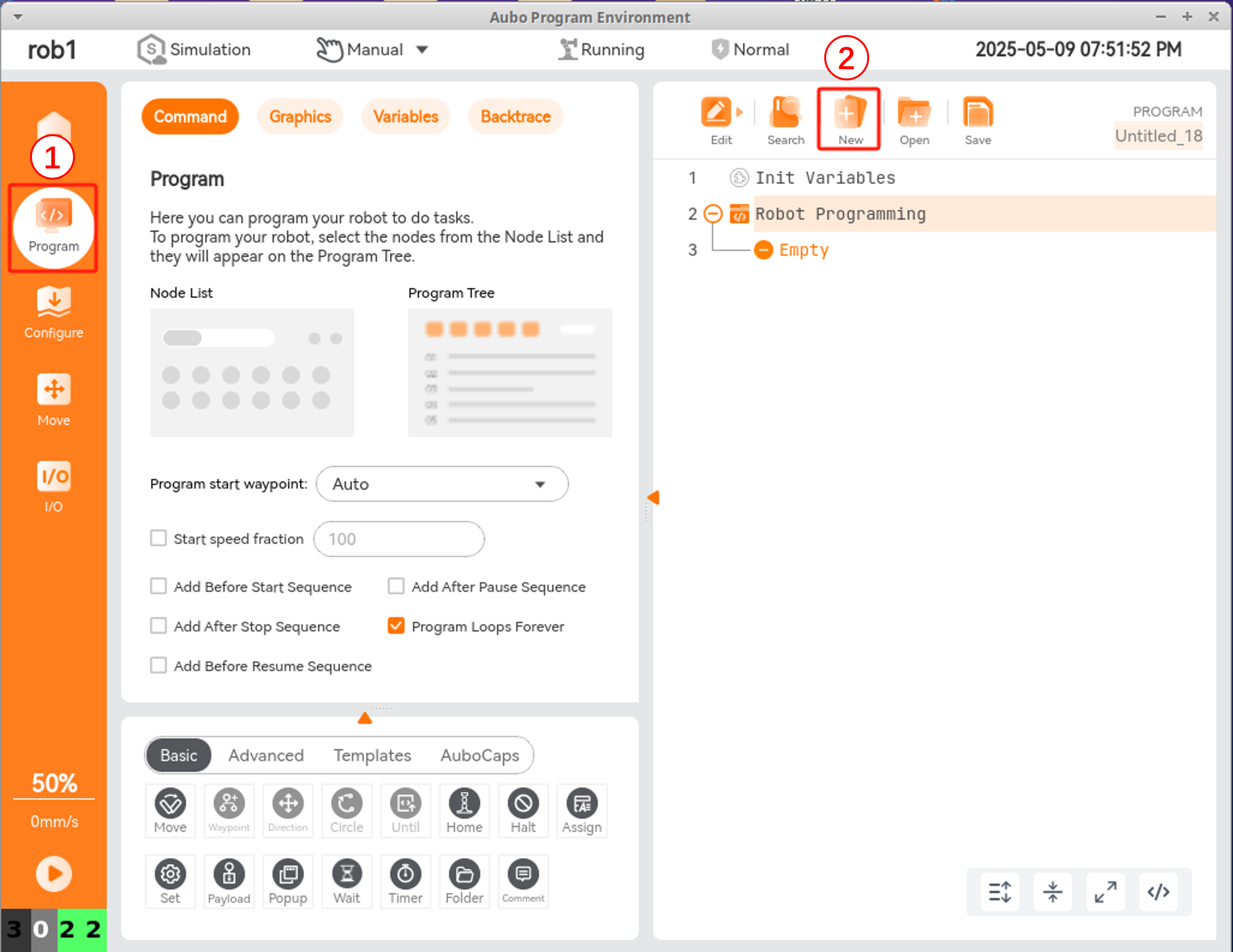
1. Create a New Project
In the Program interface, click New to create a new project.
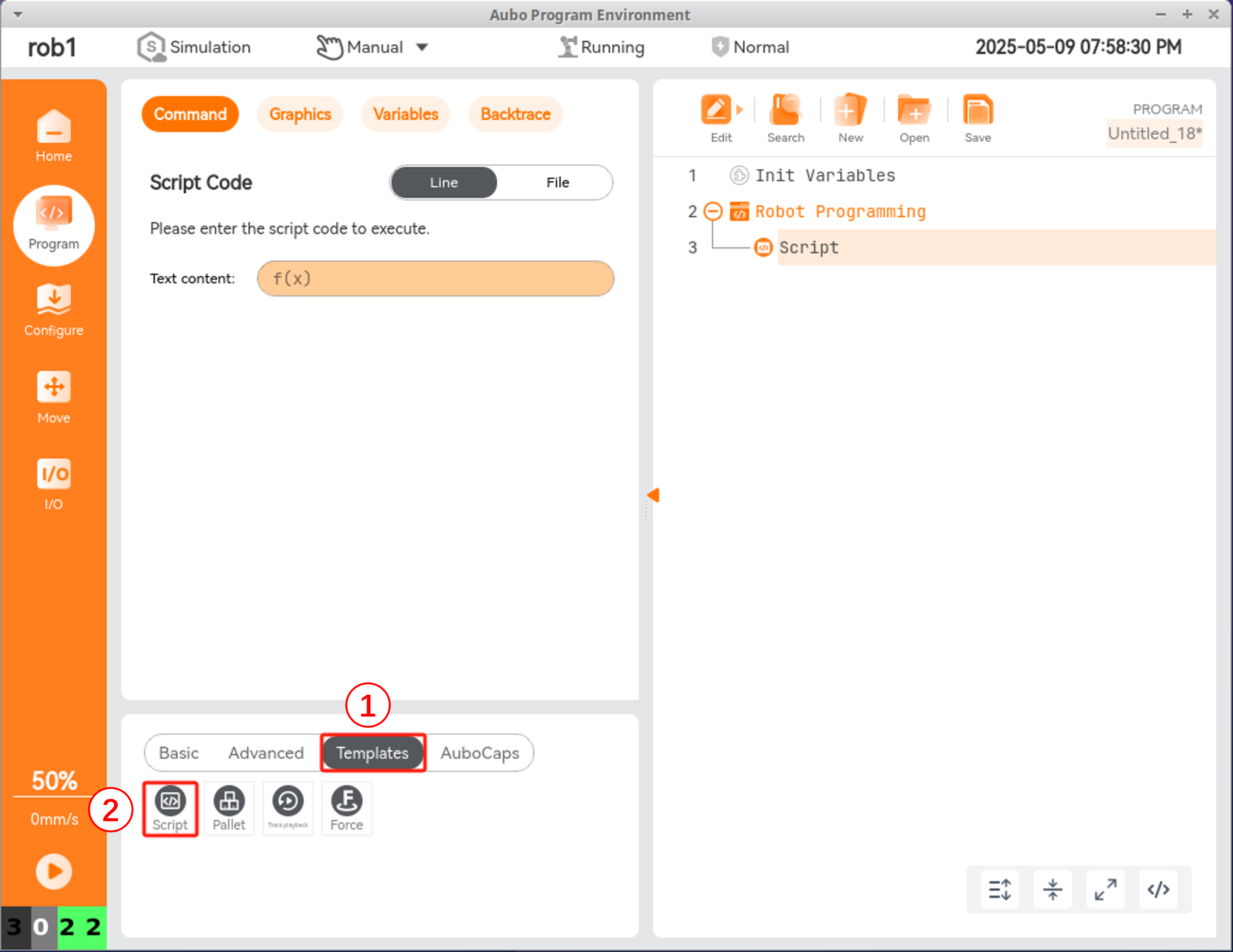
2. Select the Script Node
In the Templates program node, select Script.
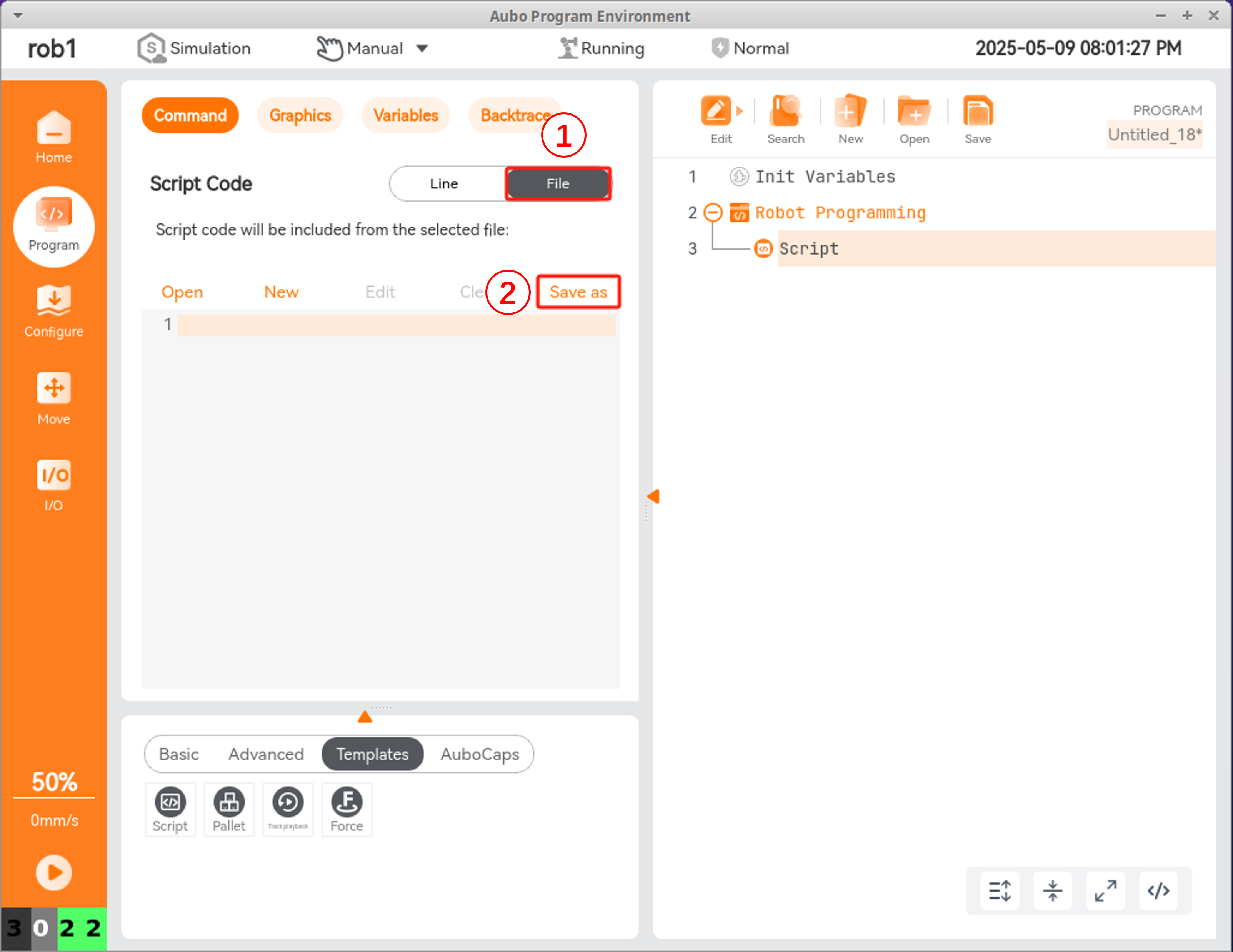
3. Choose Script Type
Scripts can be written as Line Scripts or Script Files. The following example demonstrates the Script File method.
Select File, then click Save As.
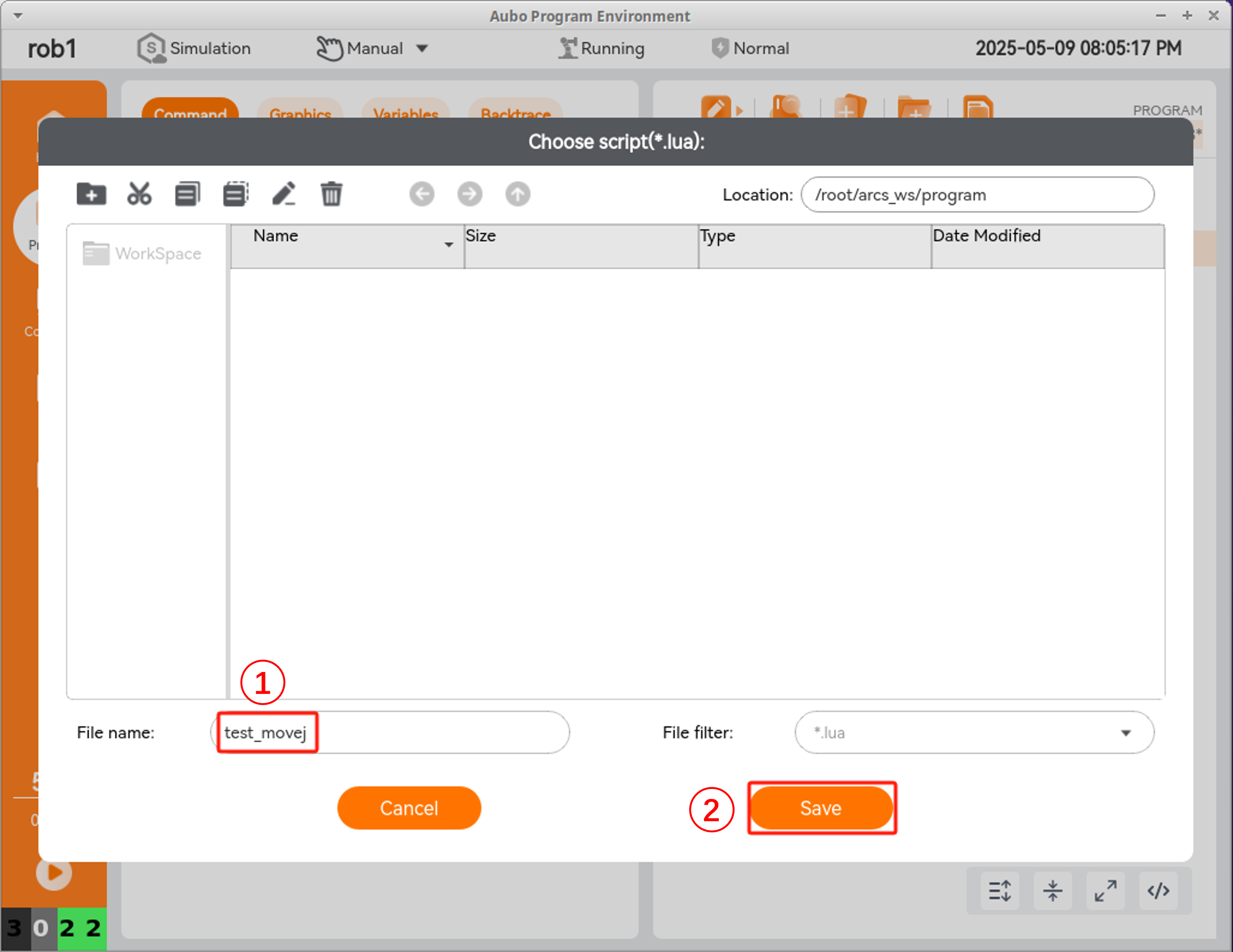
4. Name the Script File
Enter a name for the script file and click Save.
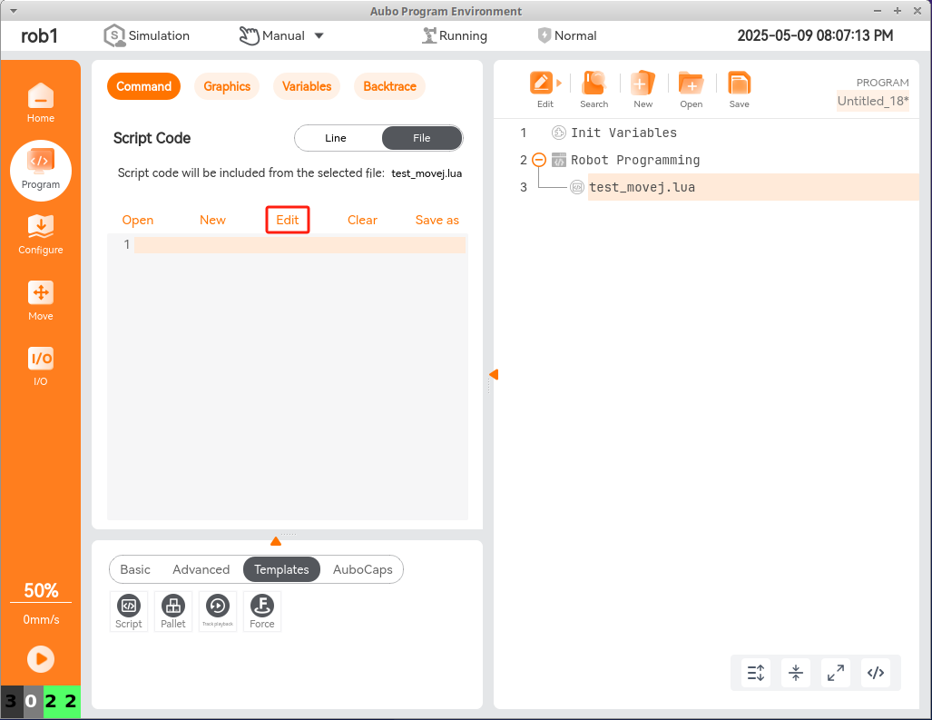
5. Edit the Script
Click Edit to open the script editor.
6. Add the Following Code
lua
pi = 3.14159265358979323846
-- Joint angles in radians
Waypoint_1_q = {-0.93/180*pi, -15.77/180*pi, 97.57/180*pi,
23.33/180*pi, 89.99/180*pi, -1.82/180*pi}
Waypoint_2_q = {-16.67/180*pi, -21.25/180*pi, 56.19/180*pi,
-12.57/180*pi, 89.99/180*pi, -17.56/180*pi}
Waypoint_3_q = {30.22/180*pi, -14.97/180*pi, 61.42/180*pi,
-13.62/180*pi, 89.99/180*pi, 29.33/180*pi}
-- Set movement speed ratio
setSpeedFraction(0.8)
-- Move through waypoints using joint movement
moveJoint(Waypoint_1_q, 1, 1, 0, 0)
-- Print message to aubo_control log
textmsg("joint move to waypoint_1")
moveJoint(Waypoint_2_q, 1, 1, 0, 0)
textmsg("joint move to waypoint_2")
moveJoint(Waypoint_3_q, 1, 1, 0, 0)
textmsg("joint move to waypoint_3")
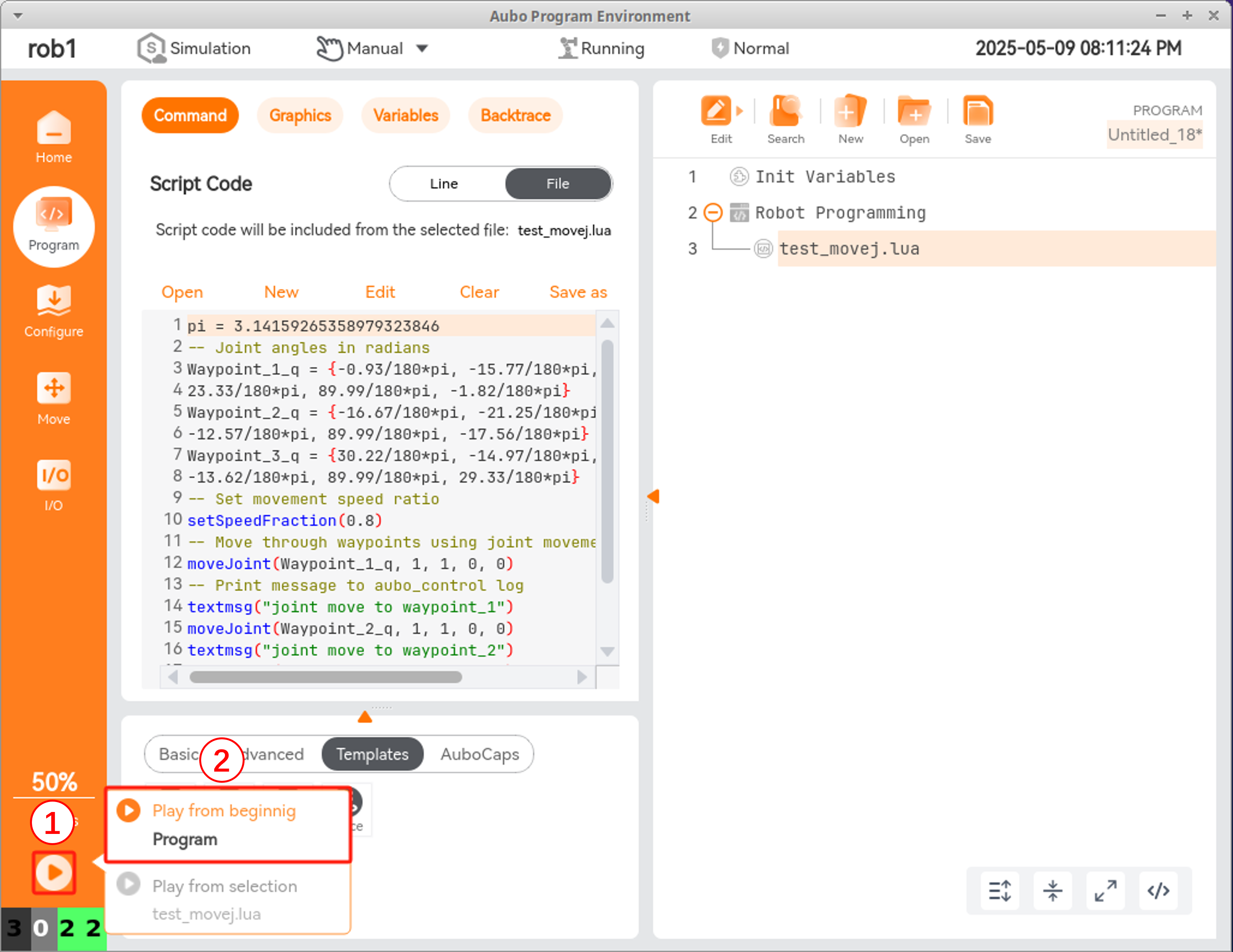
7. Run the Program
Click Play from begining to execute the script.